The Smartwatch Trap: Why a $40 Fitness Band Might Be All You Need – A Practical Guide
Overview
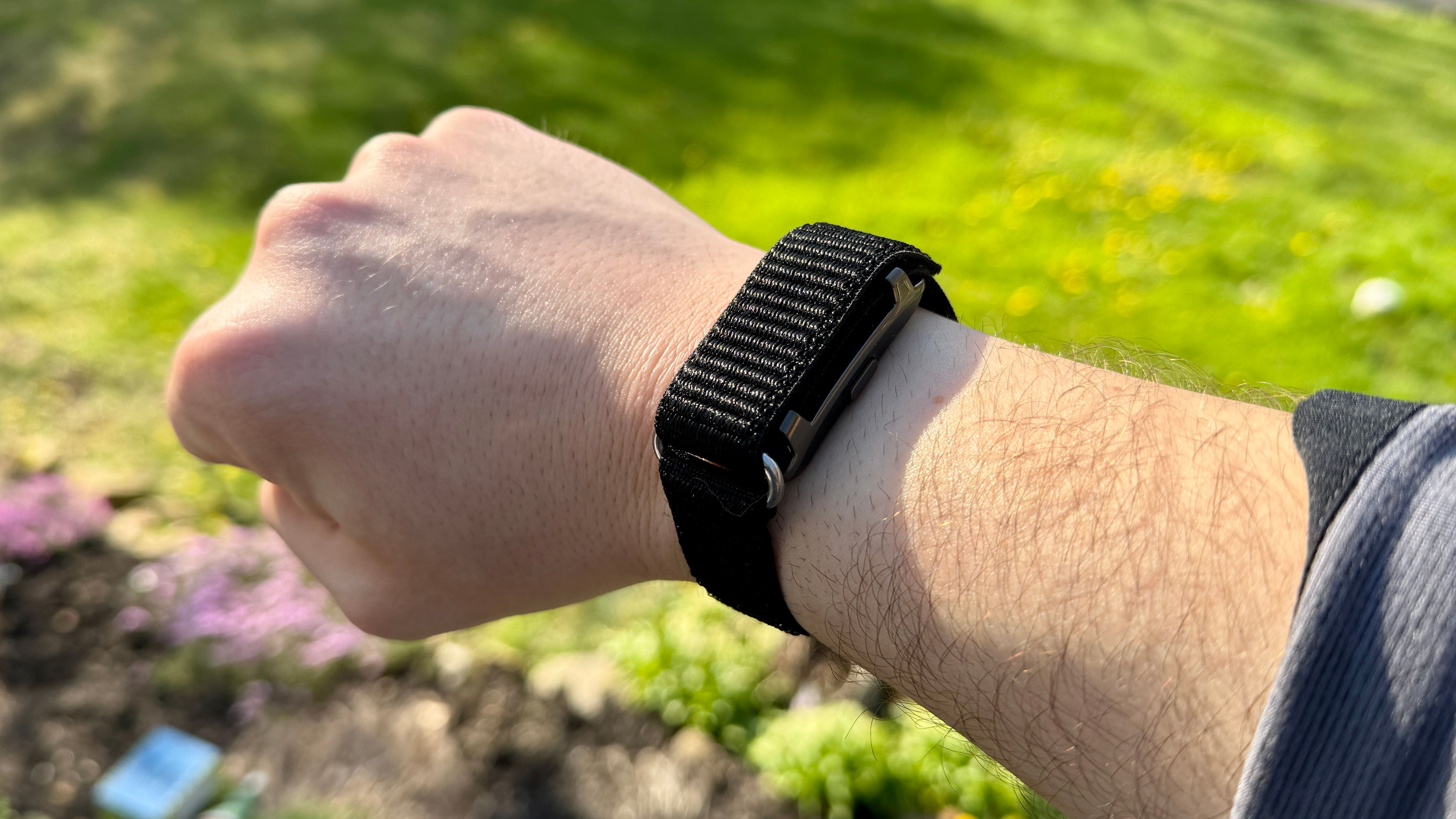
Smartwatches have been marketed as the ultimate wearable companions — tracking your steps, monitoring your heart rate, sending notifications, and even replacing your wallet. But let’s be honest: a decade ago, these gadgets cost a small fortune, and while prices have come down, premium models still hover around several hundred dollars. After splurging on a flagship smartwatch, many users (myself included) realize that most of its advanced features go unused. The truth is, a budget-friendly fitness band, often priced under $50, covers the core health and fitness tracking needs — steps, sleep, heart rate, and workout logging — without the complexity or cost. This guide will walk you through how to evaluate your needs, choose the right affordable band, set it up, and avoid common pitfalls, all while saving you hundreds of dollars.
Prerequisites
Before jumping in, make sure you have the following:
- A smartphone (iOS or Android) with Bluetooth 4.0 or higher and a compatible operating system version.
- A budget of $20 to $60 (enough to purchase a reliable fitness band from brands like Xiaomi, Amazfit, or Honor).
- Willingness to sacrifice a few luxury bells and whistles (e.g., on‑device music, GPS without phone, or high‑resolution AMOLED display).
- A basic understanding of how to pair Bluetooth devices and install mobile apps.
Step‑by‑Step Guide: Switching from a Smartwatch to a $40 Fitness Band
1. Assess Your Actual Needs
Start by listing the features you really use on a daily basis. Common essentials:
- Step counting
- Sleep tracking (duration and quality)
- Heart rate monitoring (continuous or on‑demand)
- Workout tracking (walking, running, cycling)
- Notifications (calls, messages, app alerts)
- Battery life of at least 5–7 days
If this list covers 90% of your usage, a budget fitness band is more than sufficient. Advanced features like ECG, blood oxygen monitoring, built‑in GPS, or cellular connectivity often remain underutilized.
2. Find a Budget Fitness Band
Research and compare models that match your needs. Popular choices under $50 include:
- Xiaomi Mi Band 8 (~$45) – AMOLED display, heart rate, SpO2, sleep tracking, 14‑day battery
- Amazfit Band 7 (~$40) – Large colorful display, 120+ workout modes, stress monitoring
- Honor Band 6 (~$45) – Good screen, long battery, blood oxygen tracking
Check compatibility with your smartphone (most work with both iOS and Android via their dedicated app). Avoid models that require proprietary chargers or have poor app reviews.
3. Purchase and Unbox
Buy from a trusted retailer (Amazon, AliExpress, or official brand stores). When the package arrives:
- Inspect the device for scratches or defects.
- Charge it fully using the included magnetic charger (usually 1–2 hours).
- Read the quick start guide – it explains how to attach the strap and the button placements.
4. Pair with the Smartphone App
Each brand has its own app (Mi Fitness for Xiaomi, Zepp for Amazfit, Honor Health for Honor bands).
- Download the app from the App Store or Google Play.
- Enable Bluetooth on your phone.
- Open the app and create an account (or sign in).
- Tap “Add device” or “Pair new band”.
- Hold the band close to the phone – the app should detect it. Confirm pairing when the band vibrates.
- Grant permissions for notifications, phone calls, and location (for workout routes).
Once paired, the band will sync time and settings automatically. If pairing fails, ensure the band is charged and not already connected to another phone.
5. Customize Settings
Go into the app’s settings to tailor the band to your lifestyle:
- Heart rate monitoring: Set to continuous (every 1–5 minutes) or manual. Continuous drains battery faster.
- Sleep tracking: Enable automatic detection (some bands also detect naps).
- Notifications: Choose which apps send alerts to the band (keep it minimal to avoid distractions).
- Workout shortcuts: Add your most frequent activities (walking, running, yoga) as quick‑launch options.
- Display settings: Adjust brightness, screen‑on time, and choose watch faces from the app.
6. Start Tracking Activities
Wear the band on your non‑dominant wrist for accurate readings. To log a workout:

- On the band, swipe or tap to reach the workout menu.
- Select your activity (e.g., “Outdoor Walk”).
- Press start; the band will count steps, distance (using phone GPS if no built‑in GPS), calories, and heart rate.
- After finishing, pause and save the session. It syncs to the app automatically.
For automatic step and sleep tracking, simply wear the band day and night – the algorithms handle detection.
7. Analyze Data and Adjust Goals
Check the app’s dashboard daily or weekly. Look for trends:
- Steps – aim for 8,000–10,000 per day.
- Sleep – target 7–9 hours with consistent deep sleep cycles.
- Heart rate variability – note any irregularities and share with a doctor if needed (budget bands give approximate readings, not medical‑grade).
Most apps allow you to set personal goals and receive reminders to move or hydrate. Use these features to stay motivated.
Common Mistakes
- Buying based on hype alone: Don’t assume expensive = better. Many flagship features (ECG, cellular, rotating bezels) are unnecessary for basic fitness.
- Ignoring battery life: Premium smartwatches often need daily charging, while budget bands last a week or more. Factor this into your routine.
- Overlooking app compatibility: Some bands offer poor app experiences (bugs, limited data export). Read recent reviews before purchasing.
- Setting up too many notifications: Constant buzzing from every app ruins the “distraction‑free” benefit. Stick to calls and messages only.
- Forgetting to sync regularly: If your band disconnects, data may be lost. Keep Bluetooth on and open the app every few days.
Summary
Switching from an expensive smartwatch to a $40 fitness band is a practical move for anyone whose primary needs are step counting, sleep tracking, heart rate monitoring, and basic notifications. By following this guide — from assessing your needs and choosing the right device to pairing and customizing — you can enjoy reliable fitness tracking without breaking the bank. The common mistakes outlined above will help you sidestep pitfalls. Remember, the best wearable is the one you actually wear every day. Save your money for things that truly matter.