Adobe Acrobat Transforms PDFs Into Interactive AI Workspaces with New Sharing Features
Adobe has unveiled a significant update to Acrobat, introducing sharing capabilities that turn static PDFs into dynamic, AI-driven workspaces. Users can now create interactive summaries, audio overviews, branded presentations, and even custom chatbots from their documents. This Q&A explores the key aspects of this innovation, designed to enhance collaboration and engagement.
- What is Adobe Acrobat's new PDF Spaces feature?
- How does the AI-powered summary work?
- Can users create audio overviews from PDFs?
- What are branded presentations in PDF Spaces?
- How does the custom chatbot function?
- Who can benefit from these new sharing capabilities?
- When was this feature announced?
What is Adobe Acrobat's new PDF Spaces feature?
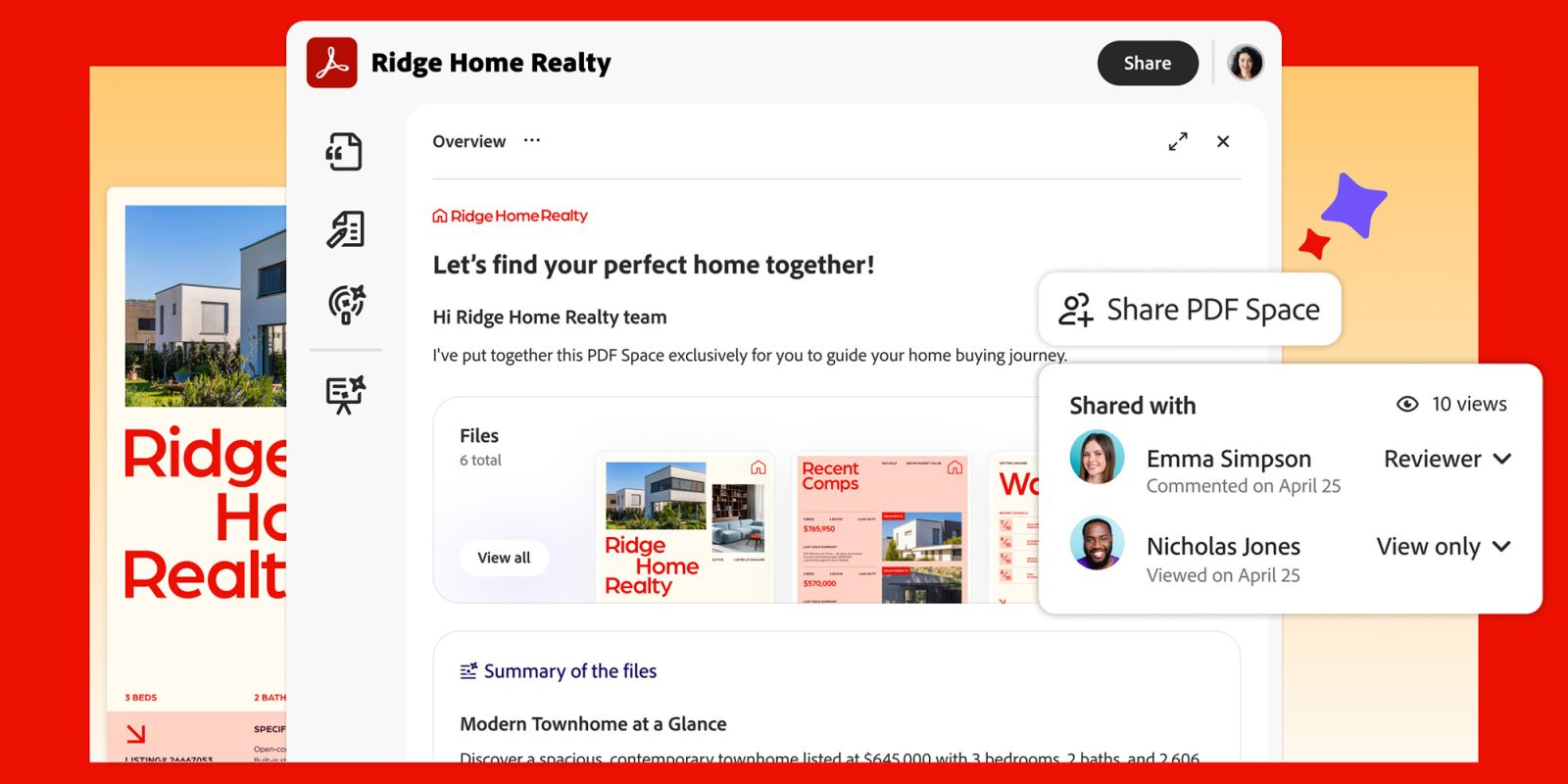
PDF Spaces is a new capability within Adobe Acrobat that transforms static PDF documents into live, AI-powered workspaces. Instead of simply viewing or editing a PDF, users can now share a document that includes interactive elements such as AI-generated summaries, audio narrations, branded slide decks, and a chatbot that answers questions about the content. This feature aims to make information more accessible and engaging, allowing recipients to explore a PDF in multiple ways without needing additional tools. It represents a shift from passive document consumption to active, collaborative interaction.
How does the AI-powered summary work?
The AI-powered summary uses Adobe's artificial intelligence to automatically extract key points from a PDF and present them in a concise, easy-to-read format. When a user enables this feature, the system analyzes the document's text, identifies main themes, and generates a digest that recipients can quickly scan. This summary can be updated as the document changes, ensuring everyone stays aligned. The AI is designed to handle various document types, from reports to contracts, and can be customized to focus on specific sections. This saves time and helps users grasp essential information without reading the entire PDF.
Can users create audio overviews from PDFs?
Yes, PDF Spaces allows users to generate audio overviews from their PDFs. This feature converts the written content into a spoken narration, creating an audio file that recipients can listen to. The audio overview is AI-generated, meaning it uses natural-sounding voices and can be tailored to highlight the most important parts of the document. This is particularly useful for people who prefer auditory learning or need to consume content while multitasking, such as during commutes. Users can also adjust the speed and tone of the narration to suit their audience.
What are branded presentations in PDF Spaces?
Branded presentations allow users to repurpose their PDF content into slide decks that reflect their company's visual identity. With this feature, you can select themes, colors, logos, and fonts that match your brand, turning a static document into a professional presentation. The AI helps structure the content into slides, ensuring logical flow and visual appeal. Recipients can view the presentation directly within Acrobat or share it externally. This is ideal for sales pitches, training materials, or client proposals where brand consistency is crucial.

How does the custom chatbot function?
The custom chatbot is an AI-powered assistant that understands the content of your PDF and can answer questions from recipients. When you enable this feature, the chatbot is trained on the document's text, allowing it to provide accurate responses to queries like "What are the key deadlines?" or "Summarize the budget section." Recipients interact with the chatbot through a chat interface within Acrobat, getting instant answers without searching through pages. This makes complex documents more user-friendly and reduces back-and-forth communication. The chatbot can be customized with a name and introductory message to align with your brand.
Who can benefit from these new sharing capabilities?
These sharing capabilities benefit a wide range of professionals and organizations. Teams working on collaborative projects can use AI summaries and audio overviews to quickly onboard new members. Sales and marketing departments can create branded presentations to impress clients. Educators can turn course materials into interactive experiences with chatbots for student questions. Legal and compliance teams can make dense documents more accessible. Essentially, anyone who shares PDFs regularly—from executives to freelancers—can enhance how their content is consumed and understood, improving efficiency and engagement.
When was this feature announced?
Adobe announced the new sharing capabilities for PDF Spaces in Acrobat on the date of the original article. While the specific day isn't mentioned in the provided text, the rollout was described as happening "today" at the time of release. This suggests it was a recent launch, likely in 2024 or 2025, as part of Adobe's ongoing efforts to integrate AI into its products. For the most current information, users should check Adobe's official blog or press releases.